Flow daily planner
Plan your day hour by hour and keep what you complete visible.
Flow is Hyphocus’s signed-in personal planner. Turn work into time blocks, add a note, move between day, week and month views, and mark the plan complete when it is done.
Plan my day free Try the timer without an accountUpdated
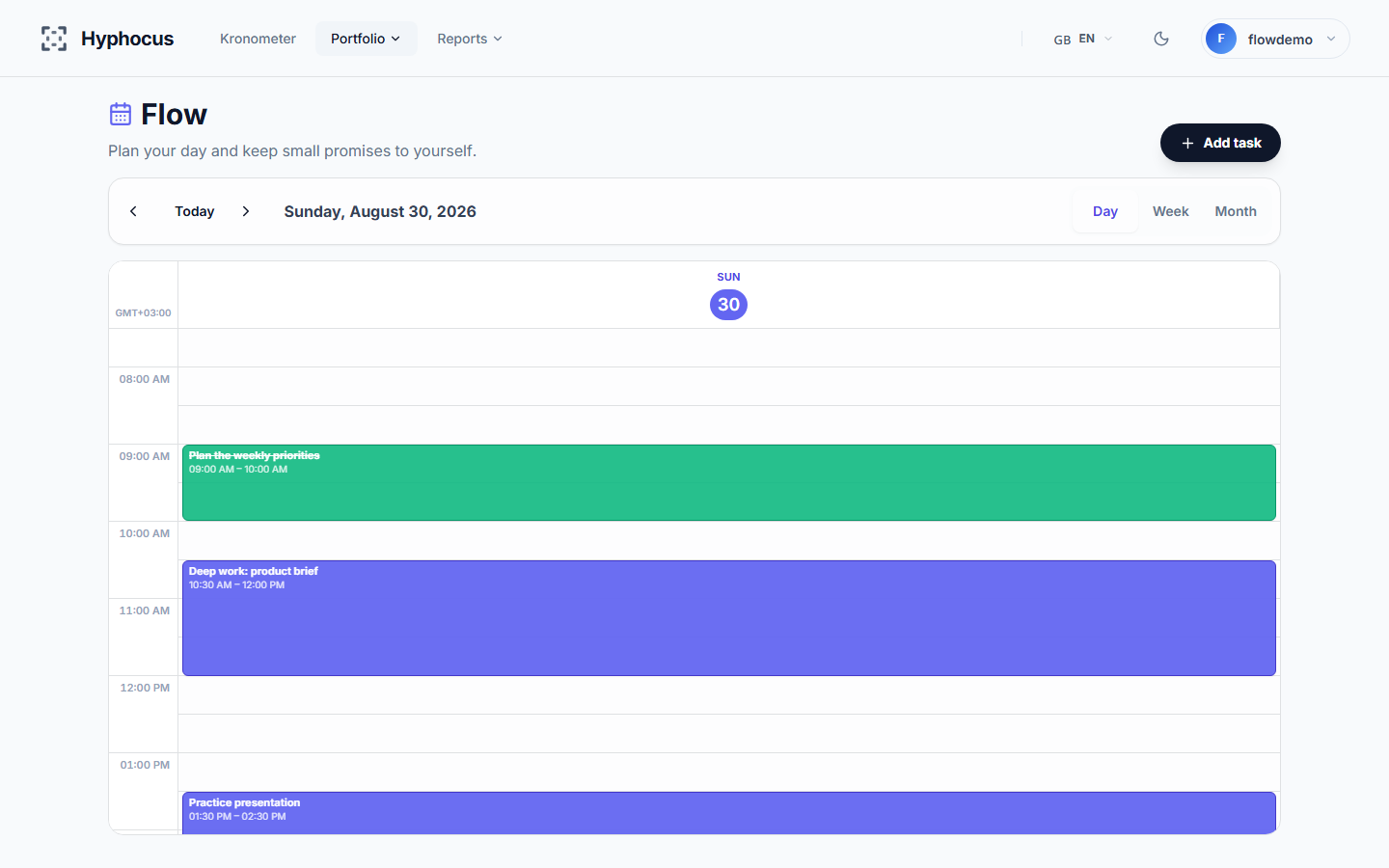
What you can plan in Flow
On the web, Flow uses a 24-hour calendar grid. You can create a block from the toolbar, from a time cell, or by selecting a time range. The time picker works in 15-minute steps, while the title is required and the note is optional.
Day view keeps one date in focus. Week view helps compare the selected week, and month view gives a wider planning overview. Existing items can be edited, deleted or marked complete when your account has the corresponding permission.
- Title and optional note
- Start and end time
- Day, week and month views
- Saved completion state and completion time
How Flow and the focus timer meet
Flow and the focus timer stay close without pretending to be the same record. When the web timer is not running, it can show up to two of today’s earliest open Flow items. From that small widget you can open Flow or mark an item complete.
A timer session is not automatically linked to a Flow item. Measured focus duration is not written back to the plan, so Hyphocus does not claim that a completed plan proves how long you worked on it.
A private, account-based plan
Flow requires a Hyphocus account because plans and completion state are saved for the signed-in user. The guest timer remains available separately when you only need a countdown and do not want to create an account.
On mobile, Flow presents the selected day, week or month as a task list instead of copying the web calendar grid. The web page is the surface that provides the hour-by-hour grid and 15-minute selection.
Clear product boundaries
Flow is a personal planning surface, not a promise of automatic scheduling. Its current job is to save the plan and its completion state clearly.
- No Google Calendar, Outlook or CalDAV sync
- No recurring tasks or reminder engine
- No AI-generated schedule or automatic prioritization
- No team calendar or shared tasks
- No automatic timer-duration logging against a Flow item